Build your 30-day Copilot success plan - Microsoft Adoption
Turn a 25-user, 30-day Microsoft 365 Copilot Business trial into momentum. Answer a few quick questions to generate a tailored weekly roadmap featuring practical scenarios, guided activities, and ready-to-use prompts. Explore Build Your 30-Day Copilot Success Plan for an at-a-glance view of easy setup, clear progress, and faster time-to-value.
What is a 30-day Copilot success plan?
A 30-day Copilot success plan is a structured, short-term adoption roadmap that helps your organization start using Microsoft Copilot in a focused and measurable way.
In practice, this kind of plan typically includes:
- Clear goals for the first 30 days – for example, improving meeting productivity in Microsoft Teams or speeding up customer service responses in Dynamics 365 Customer Service.
- Defined use cases – such as using Copilot to summarize meetings, draft emails, or assist agents with customer inquiries.
- Training and enablement – virtual workshops, user guides, and templates that help employees understand when and how to use Copilot in their daily work.
- Measurement and feedback – tracking adoption, gathering user feedback, and adjusting the plan based on what works best.
By focusing on a 30-day window, you can pilot Copilot with targeted teams (for example, customer service or internal project teams), gather data on usage and outcomes, and then decide how to scale. This approach helps you move from experimentation to consistent, everyday use without a long, open-ended rollout.
How can we drive user engagement with Microsoft Copilot?
You can drive user engagement with Microsoft Copilot by combining communication, training, and ready-made resources.
Here are practical steps:
- Use Copilot engagement tools and templates – Microsoft provides user engagement tools and templates that you can adapt for your own campaigns. These can include email announcements, quick-start guides, and internal FAQs that explain what Copilot is and how it helps.
- Run virtual workshops and training – Leverage virtual workshops and training sessions (similar to those offered through Microsoft Store and education programs) to give employees hands-on experience. Short, scenario-based sessions work well.
- Start with specific scenarios – For example, show how Copilot can assist in Dynamics 365 Customer Service to help agents respond faster, or how it can support meetings, webinars, and town halls in Microsoft Teams.
- Share early success stories – Highlight teams that are saving time or improving quality with Copilot. Even simple metrics, like a reduction in time spent on meeting notes or customer email drafts, can build momentum.
By combining communication, training, and real examples, you help employees reimagine how they work with Copilot and make it part of their normal toolset rather than a one-off experiment.
Where does Copilot fit into Microsoft Teams and Dynamics 365 Customer Service?
Microsoft Copilot is designed to work within the tools your teams already use, especially Microsoft Teams and Dynamics 365 Customer Service.
In Microsoft Teams
- Meetings, webinars, and town halls – Copilot can support planning, running, and following up on meetings, webinars, and town halls. Combined with the new meeting controls experience in Teams, it can help with tasks like summarizing discussions, capturing action items, and organizing follow-ups.
- Day-to-day collaboration – Within Teams channels and chats, Copilot can assist with drafting messages, clarifying information, and helping users stay on top of key updates.
In Dynamics 365 Customer Service
- Agent assistance – Copilot in Dynamics 365 Customer Service can help agents by suggesting responses, summarizing case history, and surfacing relevant knowledge articles directly in their workspace.
- Operational efficiency – By reducing manual effort on repetitive tasks, agents can focus more on complex customer issues and higher-value interactions.
When you build your 30-day Copilot success plan, it’s effective to start with a few concrete scenarios in Teams (like meeting summaries) and in Dynamics 365 Customer Service (like assisted responses), measure the impact, and then expand to additional use cases over time.
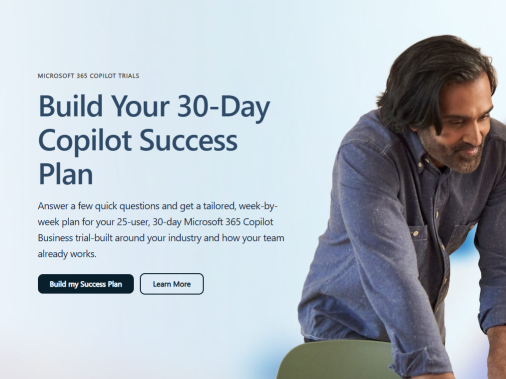
Build your 30-day Copilot success plan - Microsoft Adoption
published by RYCOMM LLC
Trusted by many small and medium size businesses in New England and nationwide, RYCOMM is an IT services company, focused on helping businesses with their IT needs and challenges.
We have been providing simplified IT solutions for unique customers since 1998. We use the latest technology in the market and have years of experience supporting companies. Our expertise is unmatched in the Managed IT Service provider space because we have seen what works and what doesn’t, both operating as a service provider and on the receiving end, managing outsourced IT Service providers ourselves to fill in gaps in large enterprise deployments.
Our company has been designed to provide a better user experience, save money, prevent downtime, and provide a comprehensive IT solution to fit your business’s needs.
We provide a variety of IT support and managed IT solutions tailored to fit your business needs. We offer managed services, including end-user support, cloud migrations, disaster recovery, network and server monitoring, help desk, telephony, business continuity services and strategic planning. We also offer Managed IT Service plans with complete management on a per user, per month pricing model.
RYCOMM also provides a large selection of hardware and software choices for your IT environment. Our technology experts design and configure solutions using the latest technologies from industry leaders.
We are a comprehensive Technology Consulting firm providing complete IT outsourcing, that manages all your technology needs, so you can focus on your business.




 Sign in with LinkedIn